
Functions accessible from: 'Main menu > File > Preferences > Navigation > Pointer'
Icon displayed at map window can be fully customized according to your needs:
•Pointer/Animation pointer: Icon displaying position on the map.
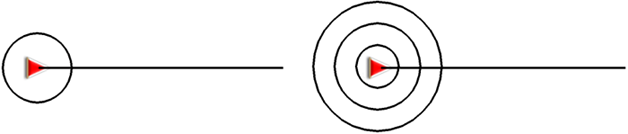
•Fixed ring and parallels: A circumference encircling the position will be drawn.

•Fixed ring radius: It determines the size of the circumference surrounding the position.

•Draw prow lines parallels: Draw parallel lines to the prow line (guideline indicating the direction of the movement).

•Variable ring: Add more rings around the position. Define the radius of the inner ring and the number of successive rings which will be equidistant from the first inner ring.
•View turning radius: When turning, the radius corresponding to the circumference described will be displayed.
•View direction line: Set the length of the prow line that will be displayed on the map.

•Disabled: No prow line will be displayed.
•Pixels: Set the length of the prow line in pixels.
•Real distance: Prow line will be displayed on the map at real scale.
•Expected distance in time: Land will calculate the estimated distance to be covered in that time at current speed.
•Infinite: The length of the prow line will be infinite.