Functions accessible from: 'Main menu > File > Preferences > Navigation > Next waypoint'
When navigating a route, you can select a required event to validate a waypoint and switch to the following one:
•Switch to next waypoint:
•Inside the radius of next waypoint: Enter inside the radius of the next waypoint (only that one).
•Inside the radius of any next waypoint: Enter inside the radius of any of the next waypoints (next one and any of the succeeding waypoints).
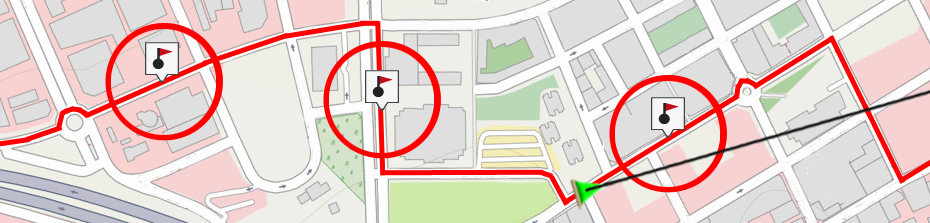
•e-Roadbook mode, going out of the radius of any waypoint: When entering the radius of any waypoint, it will be set as next. When going out of it, next one will be activated. When following an e-Roadbook it is required to show the information of the current waypoint while in its surroundings. This way, instructions for each point can be followed correctly.
•Crossing bisector inside radius of next waypoint: Enter inside the radius of next waypoint and cross the bisector that is formed with the previous and next waypoint.
•Crossing bisector inside radius of next waypoint or 10% of any waypoint: Same as the previous, but if any waypoint is quite near (10% of its radius) it will be validated and the next one will be activated.
•Only from buttons bar: Never change to next waypoint automatically, only manually when 'Next waypoint' or 'Previous waypoint' buttons are pressed.
•Default radius for waypoints: A default radius can be assigned for route waypoints, this value will be taken when this information is not available. If radius for a concrete waypoint of the route is defined, it will be respected. But in case that waypoint does not have a specific radius, the default one will be used instead.